2.4G状态、
 USB状态、
 蓝牙状态(此模式下暂不支持宏功能)
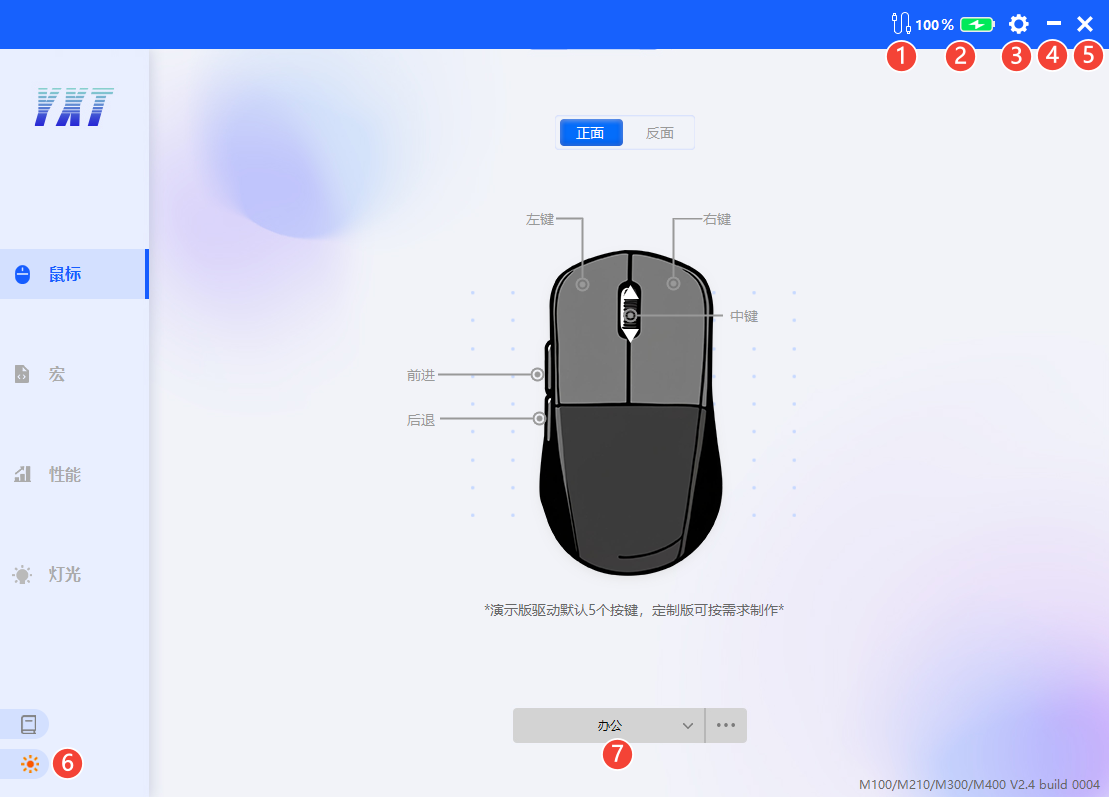
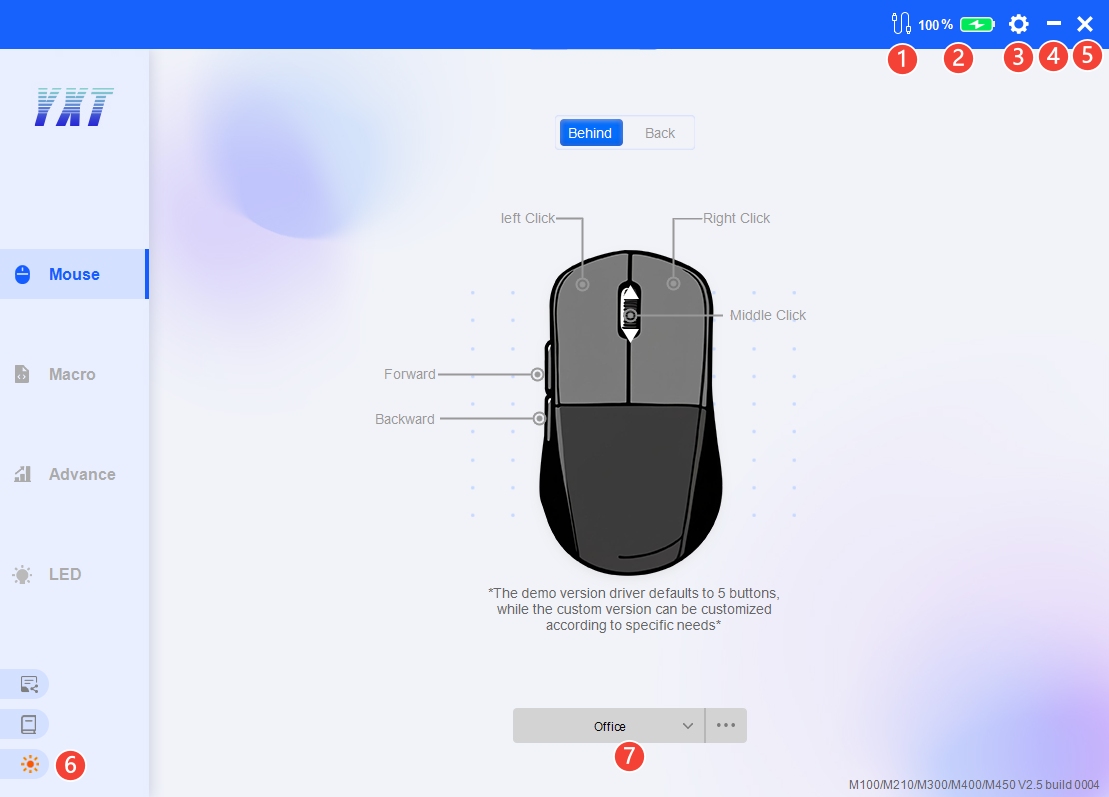
①鼠标连接状态: 2.4G状态、 USB状态、 蓝牙状态(此模式下暂不支持宏功能)
②电池电量:低于25%红色警告
③设置:可选语言
④最小化窗口
⑤关闭窗口:在“设置”中可设置关闭选项
⑥主题切换:白天/黑夜
⑦配置:三个配置可选, 点击更多可选择导入配置、导出配置、重置配置。导出配置中不包含宏。
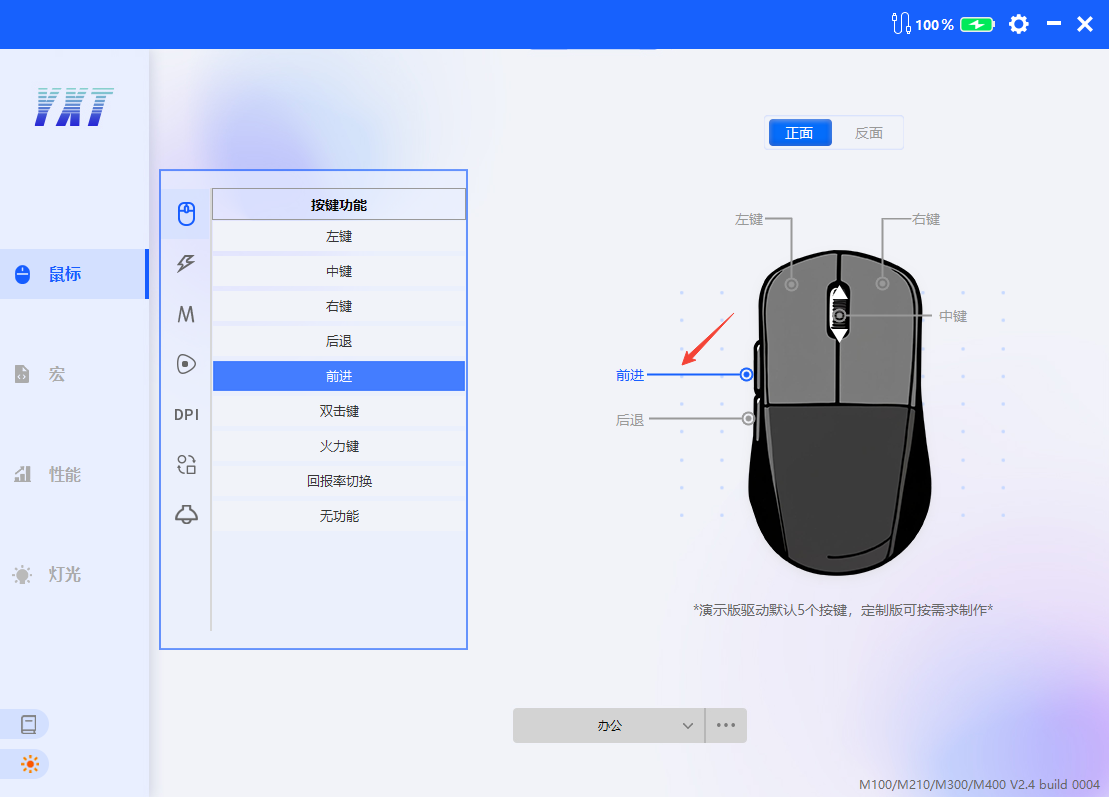
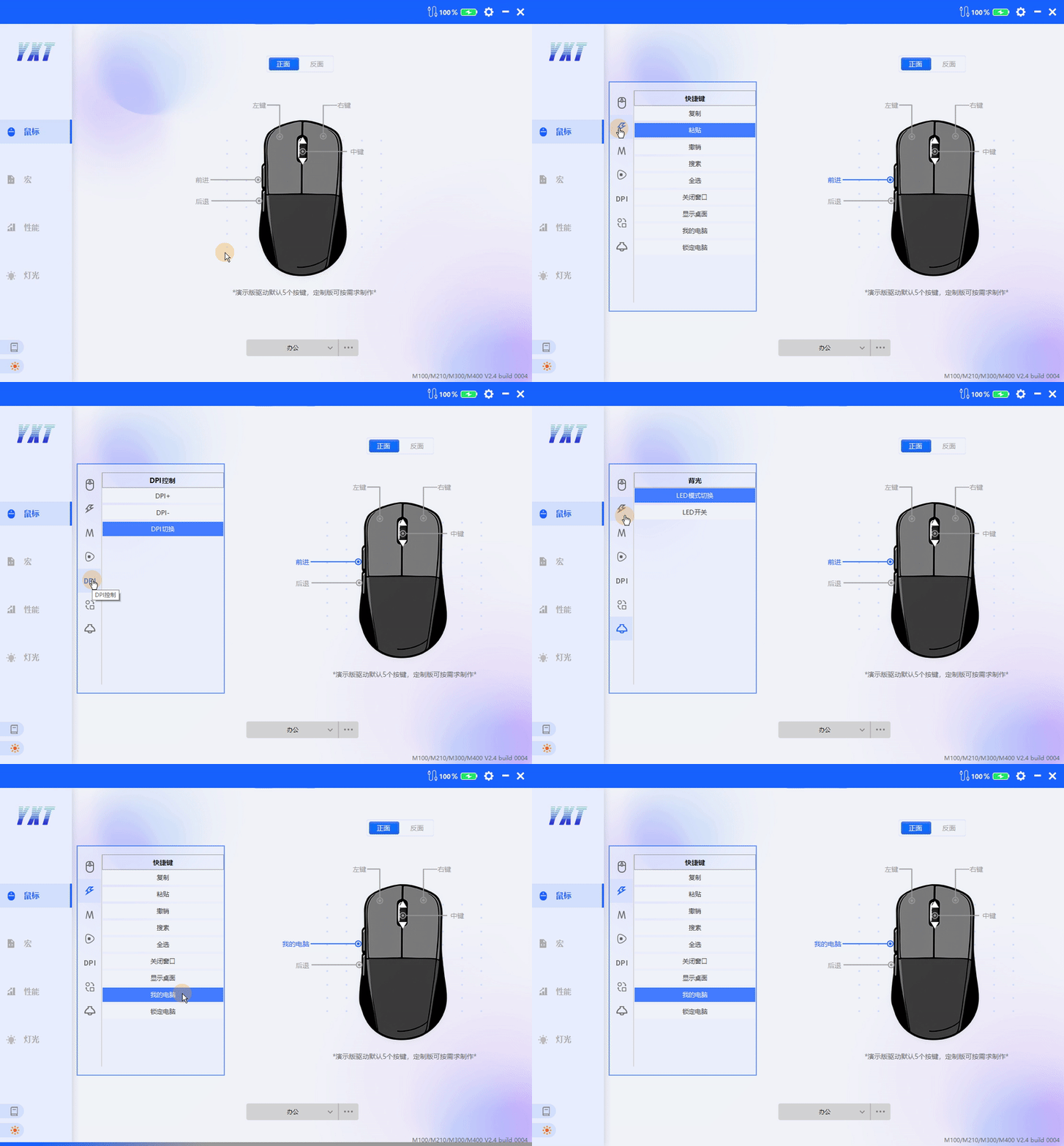
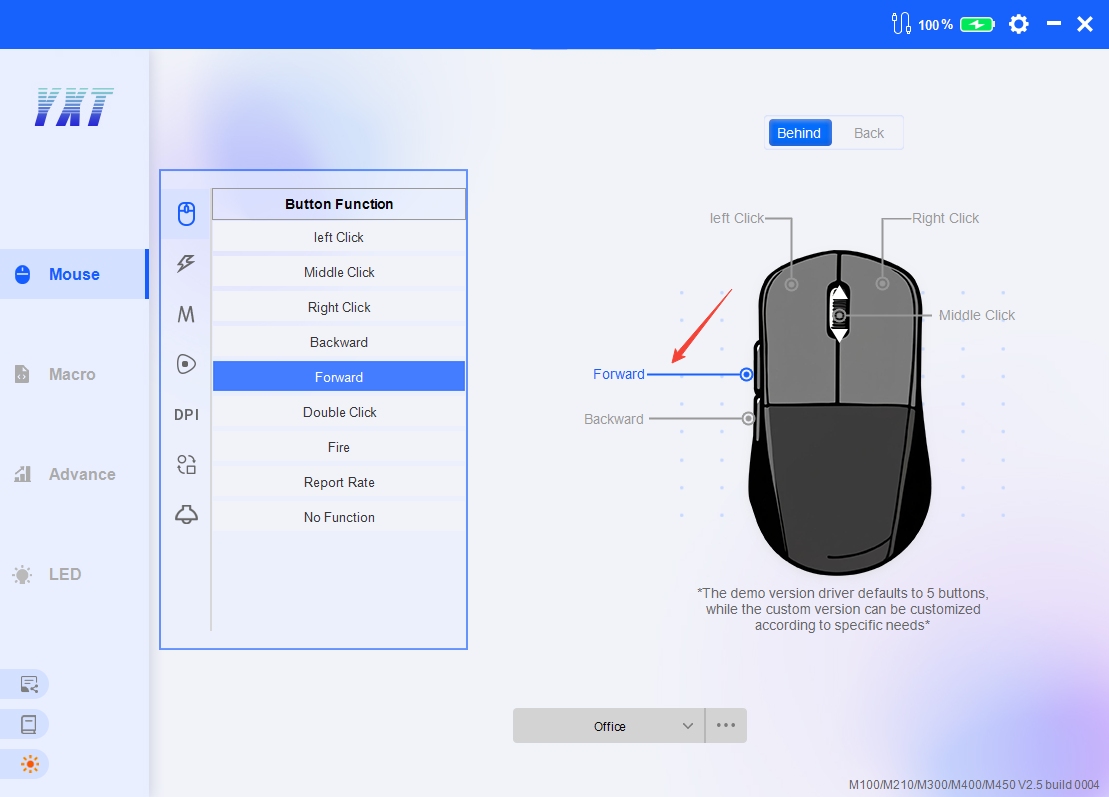
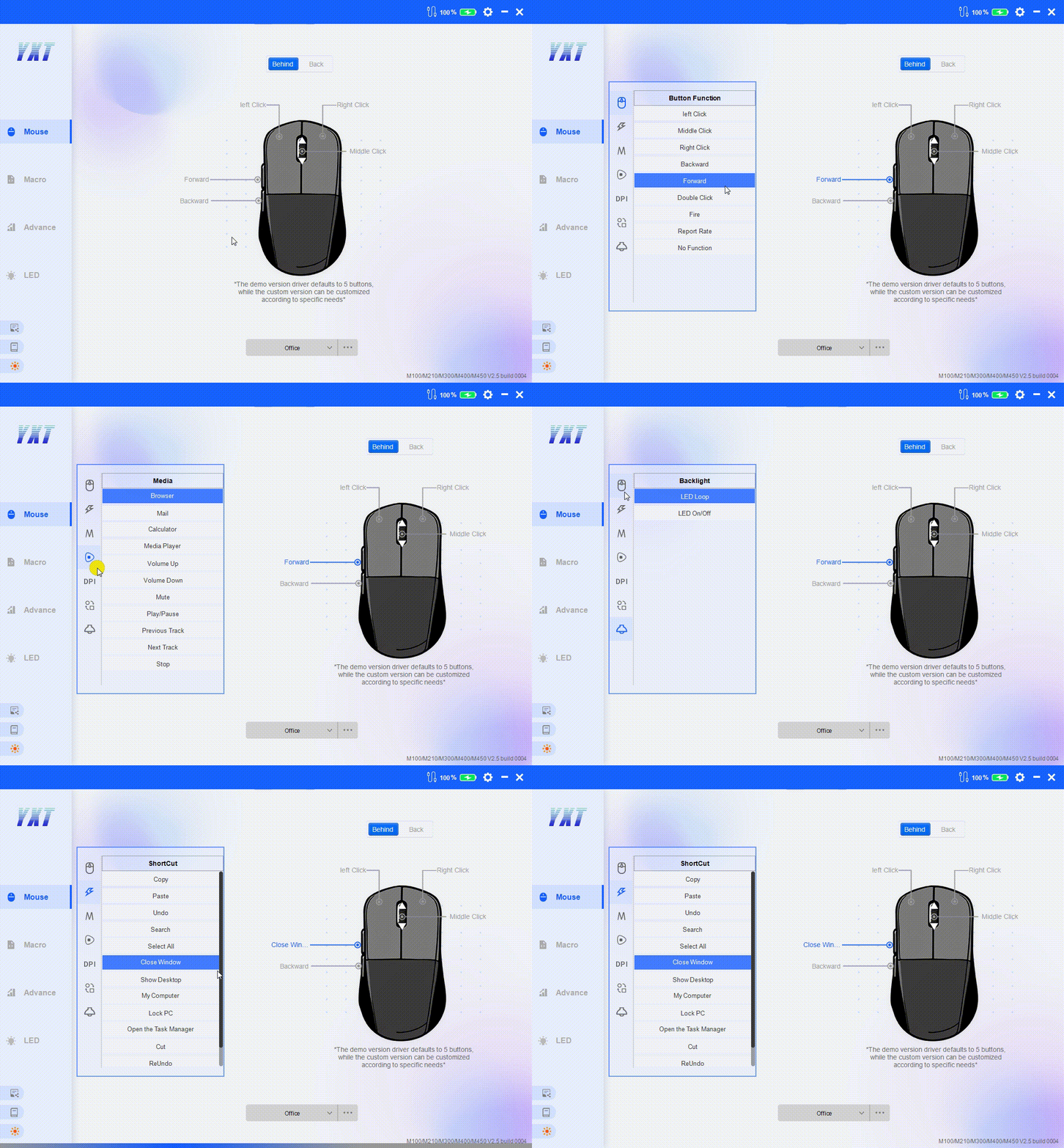
选择一个按键选中,在左侧弹出的窗口中选择功能设置即可。其中功能包括按键基础功能、快捷键、宏、多媒体、DPI、模式切换、背光。
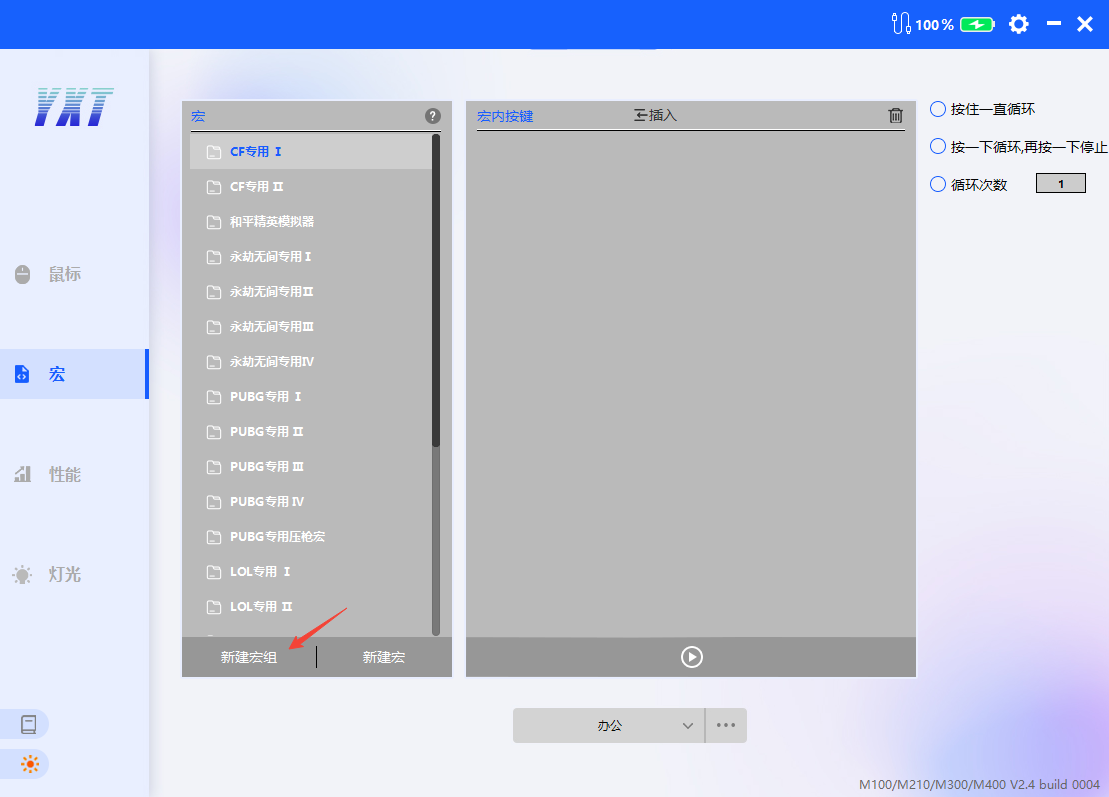
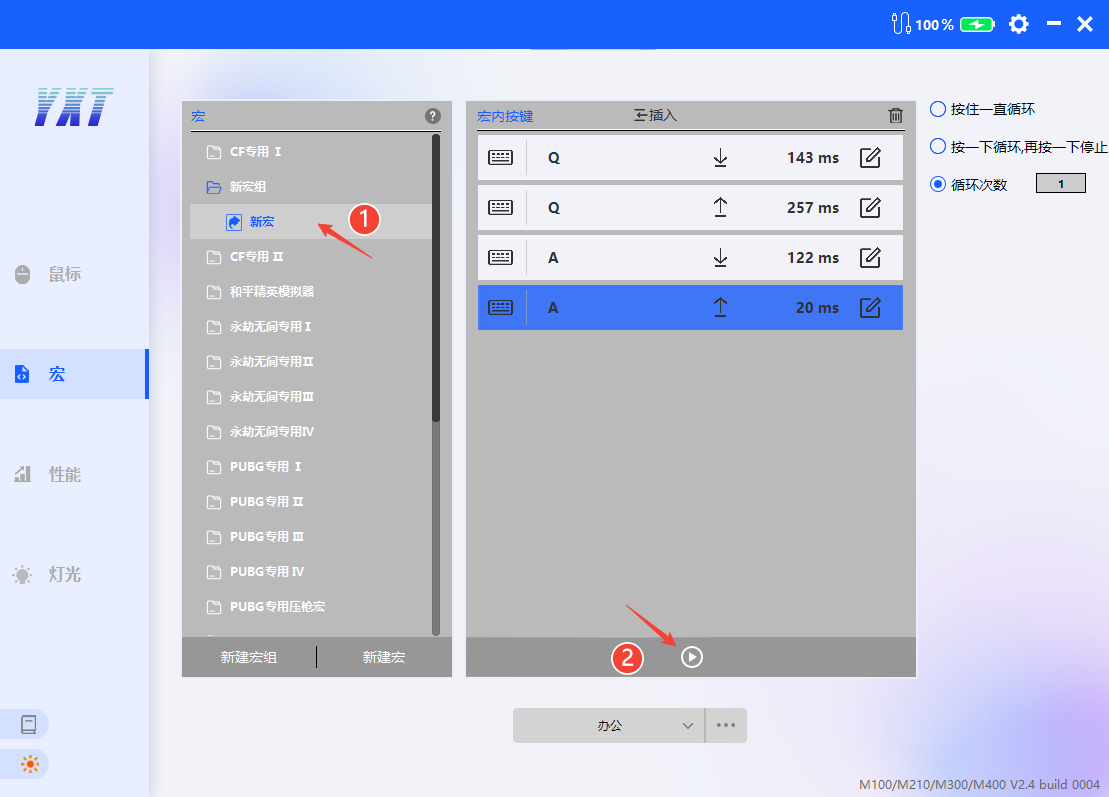
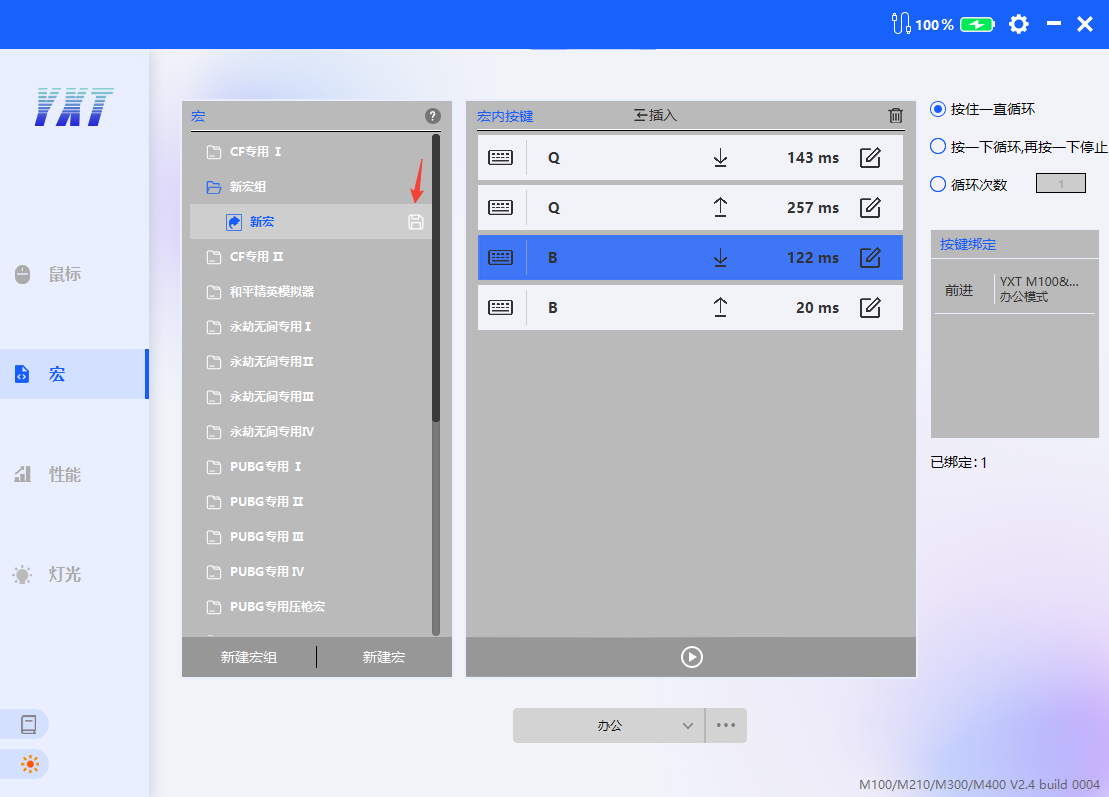
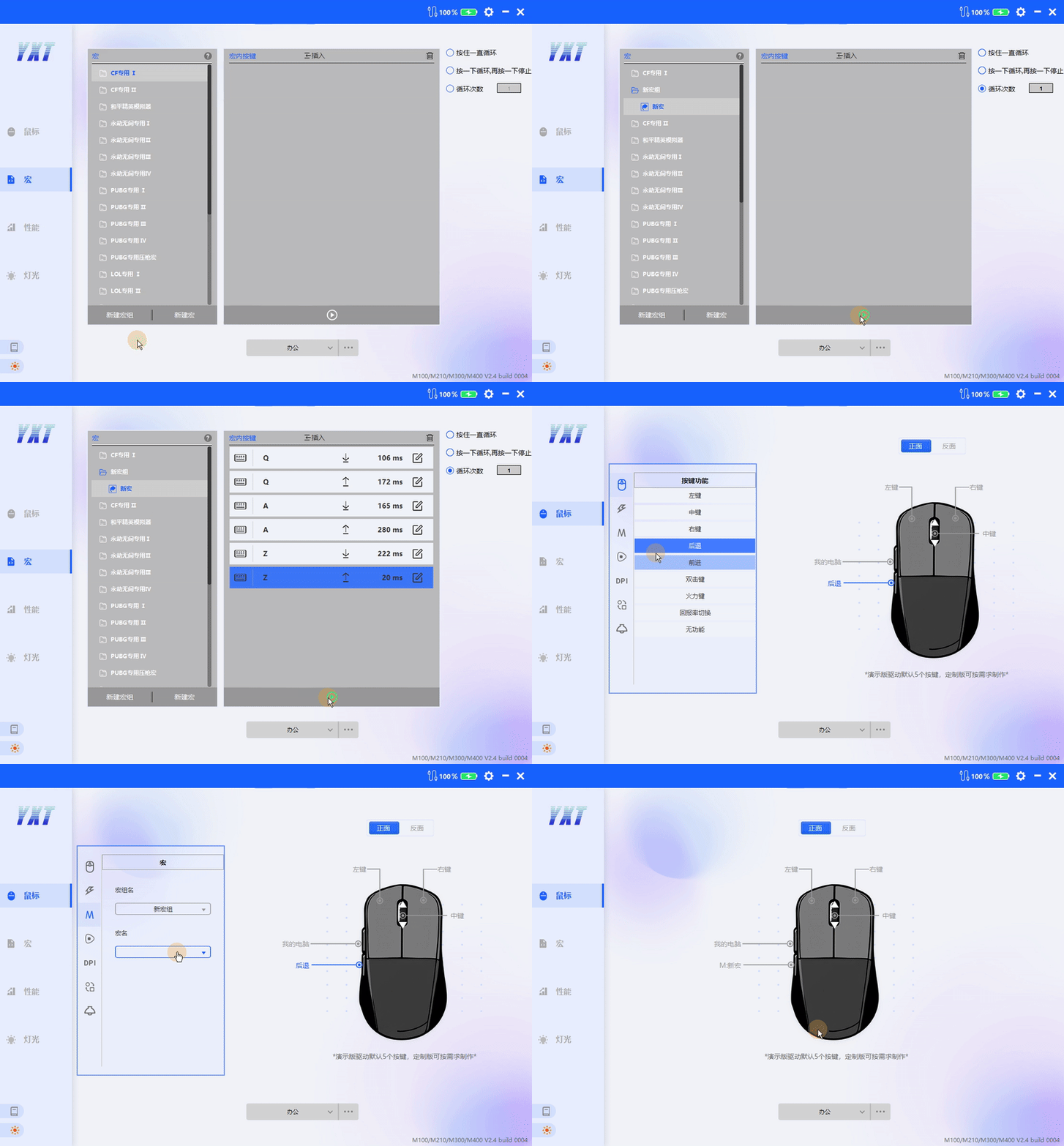
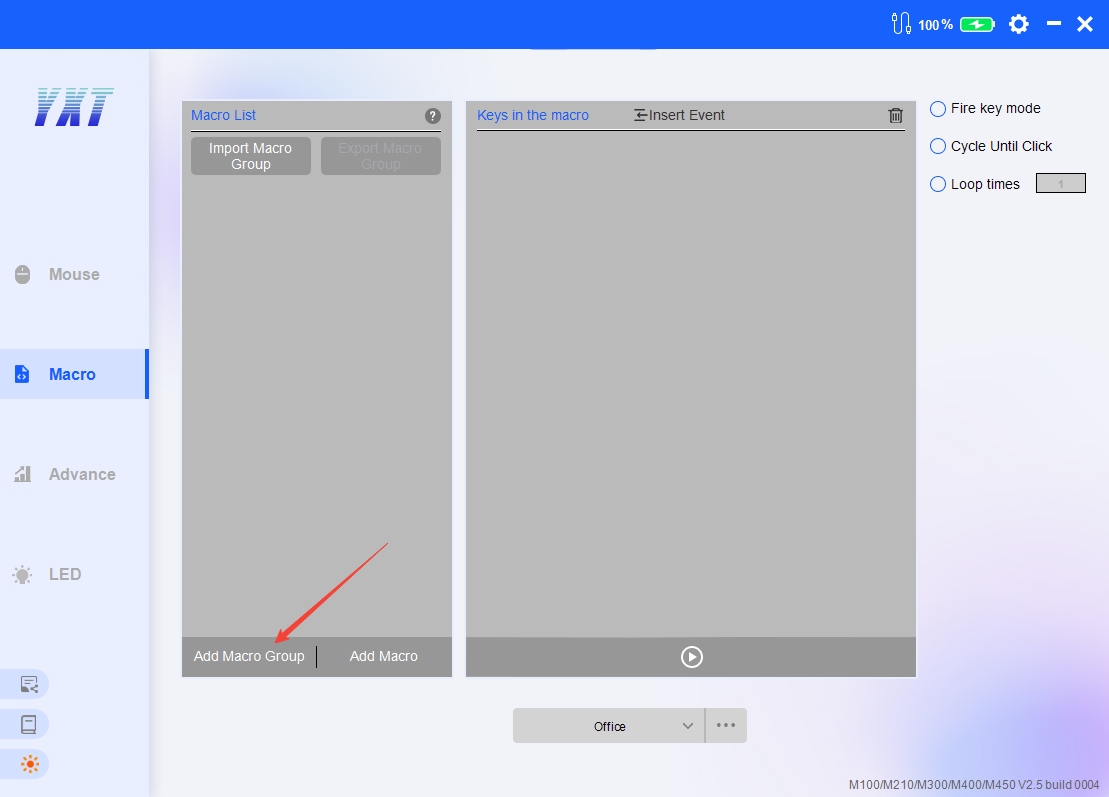
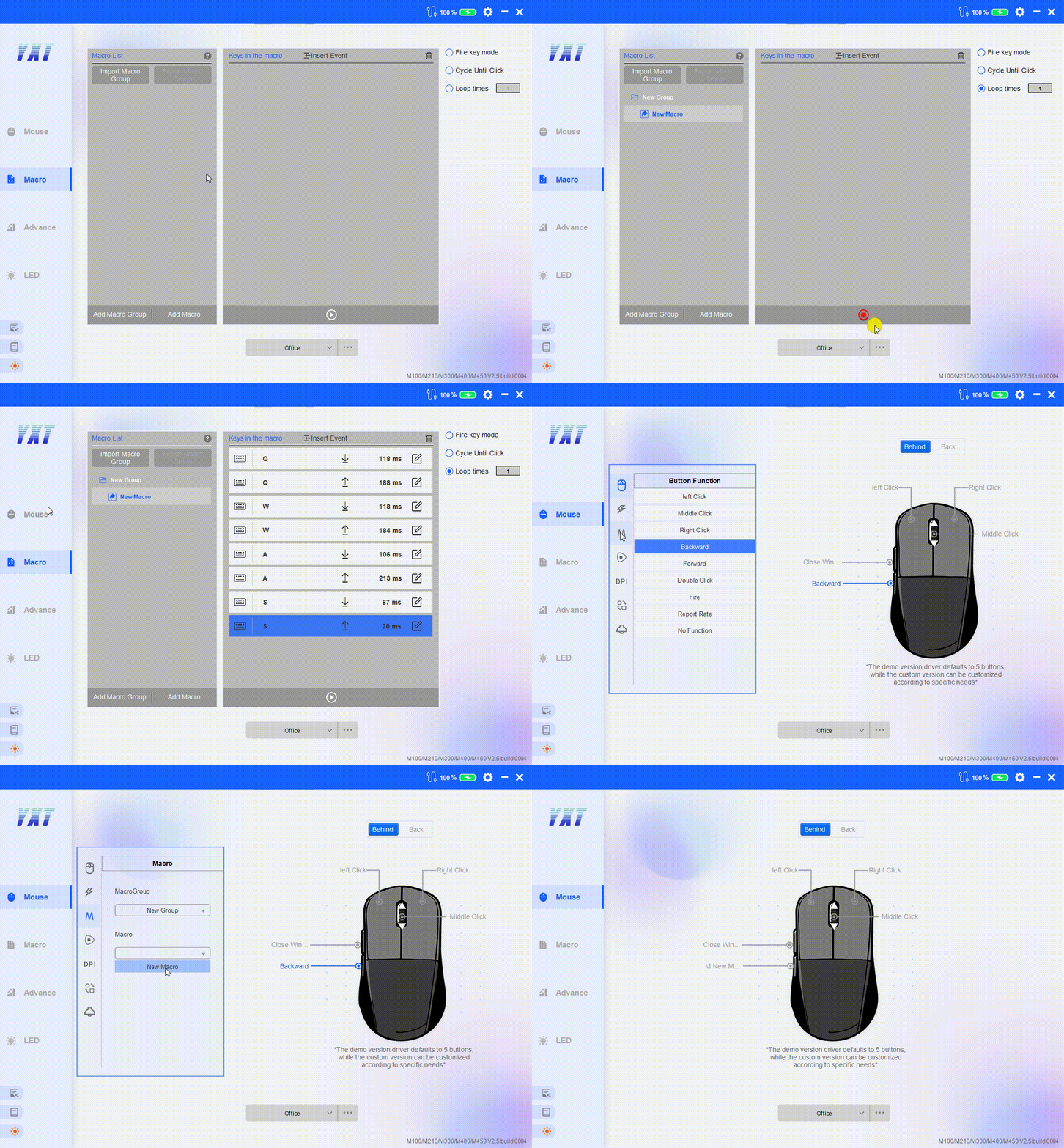
1.新建一个宏组/宏
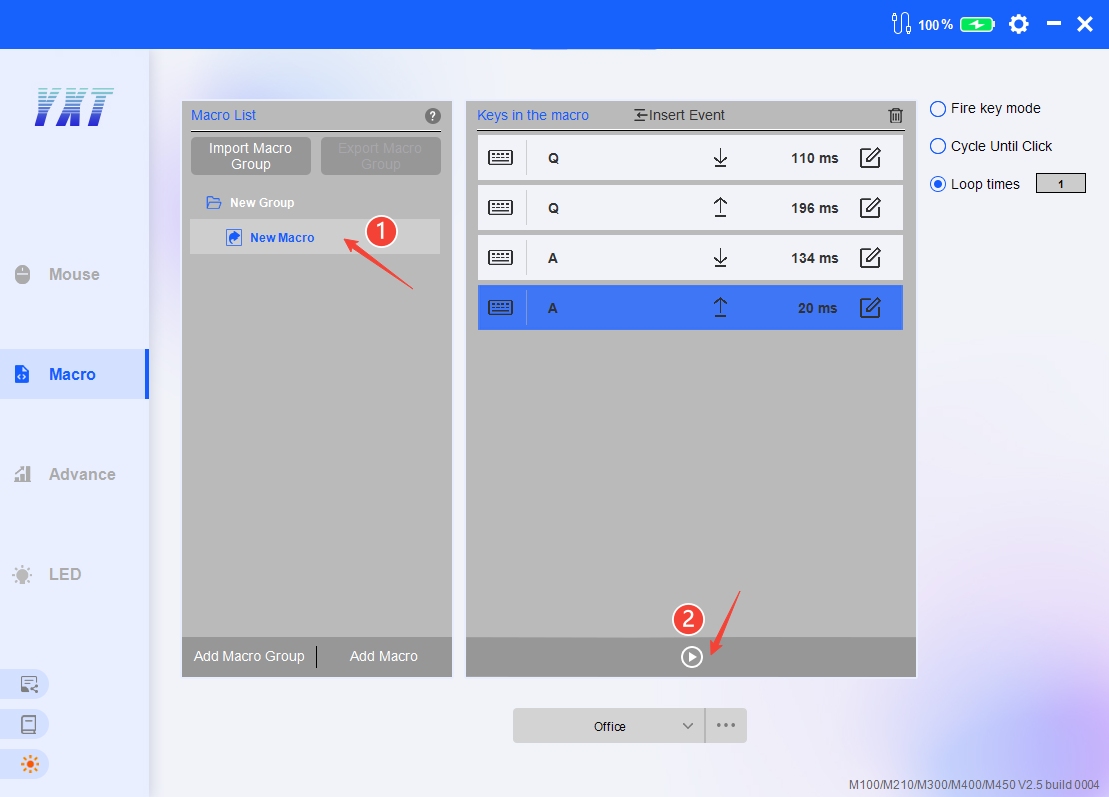
2.选择宏,点击录制
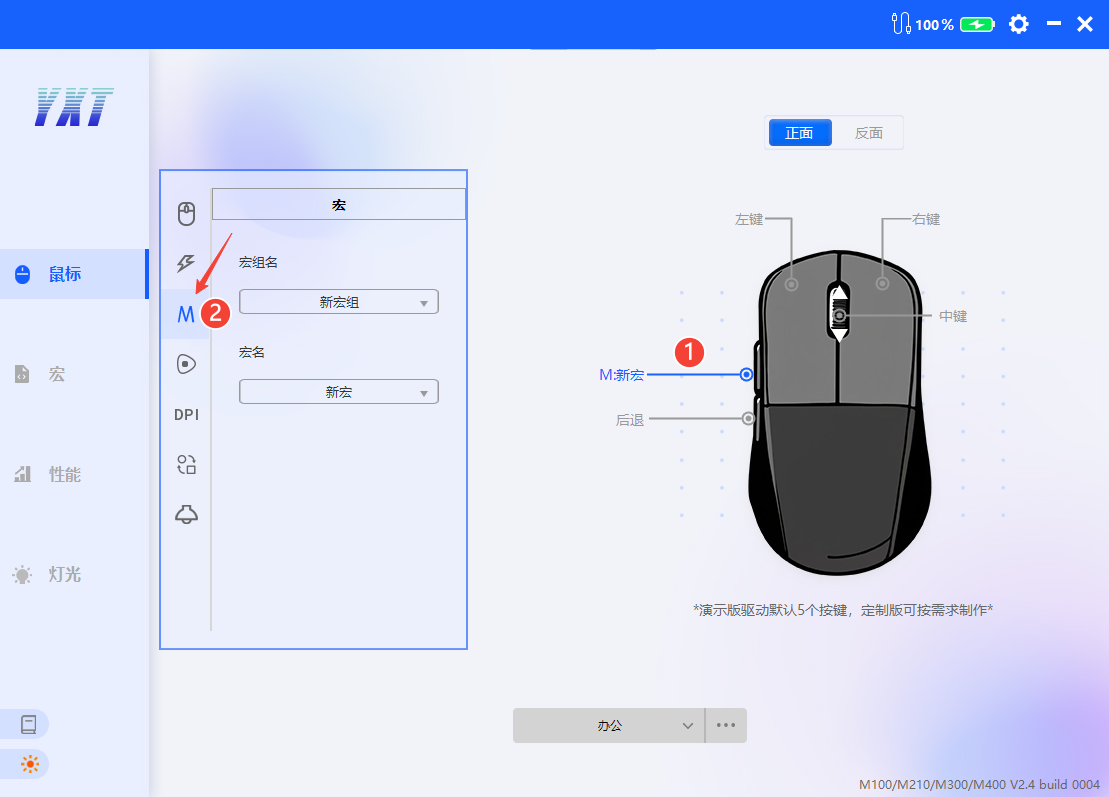
3.返回鼠标按键页,选择需要设定的按键,在左侧窗口中选择刚才设置好的宏即可。
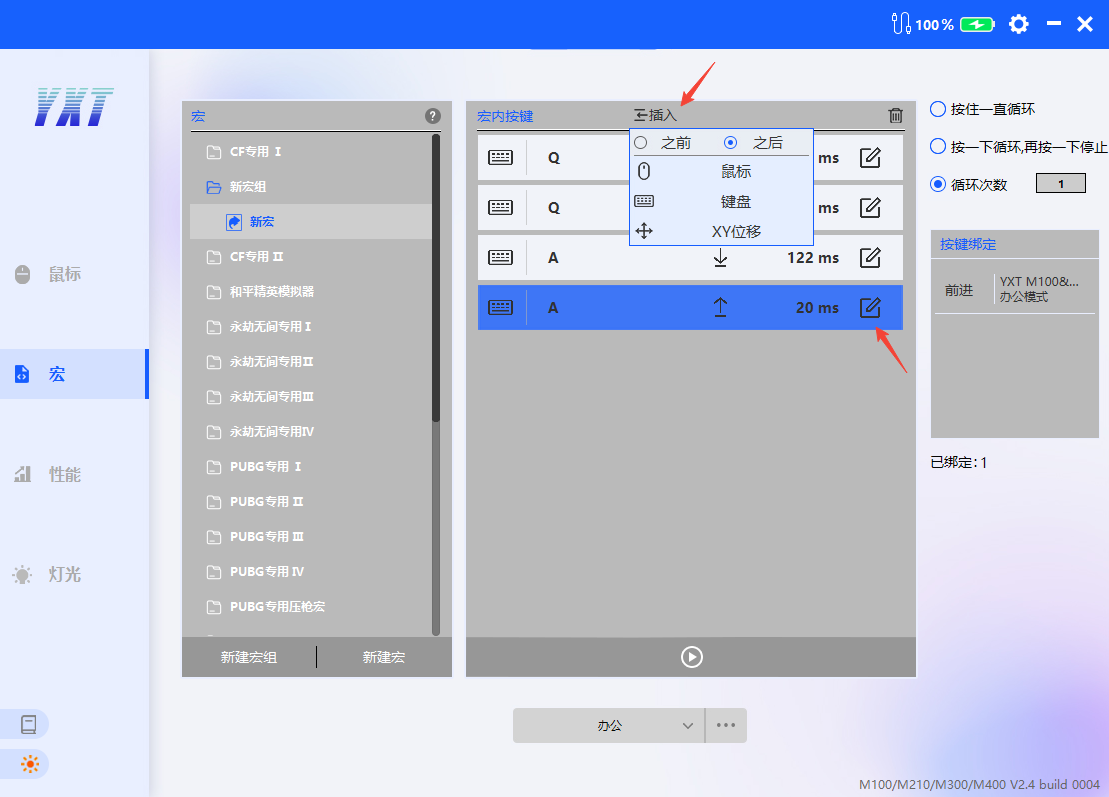
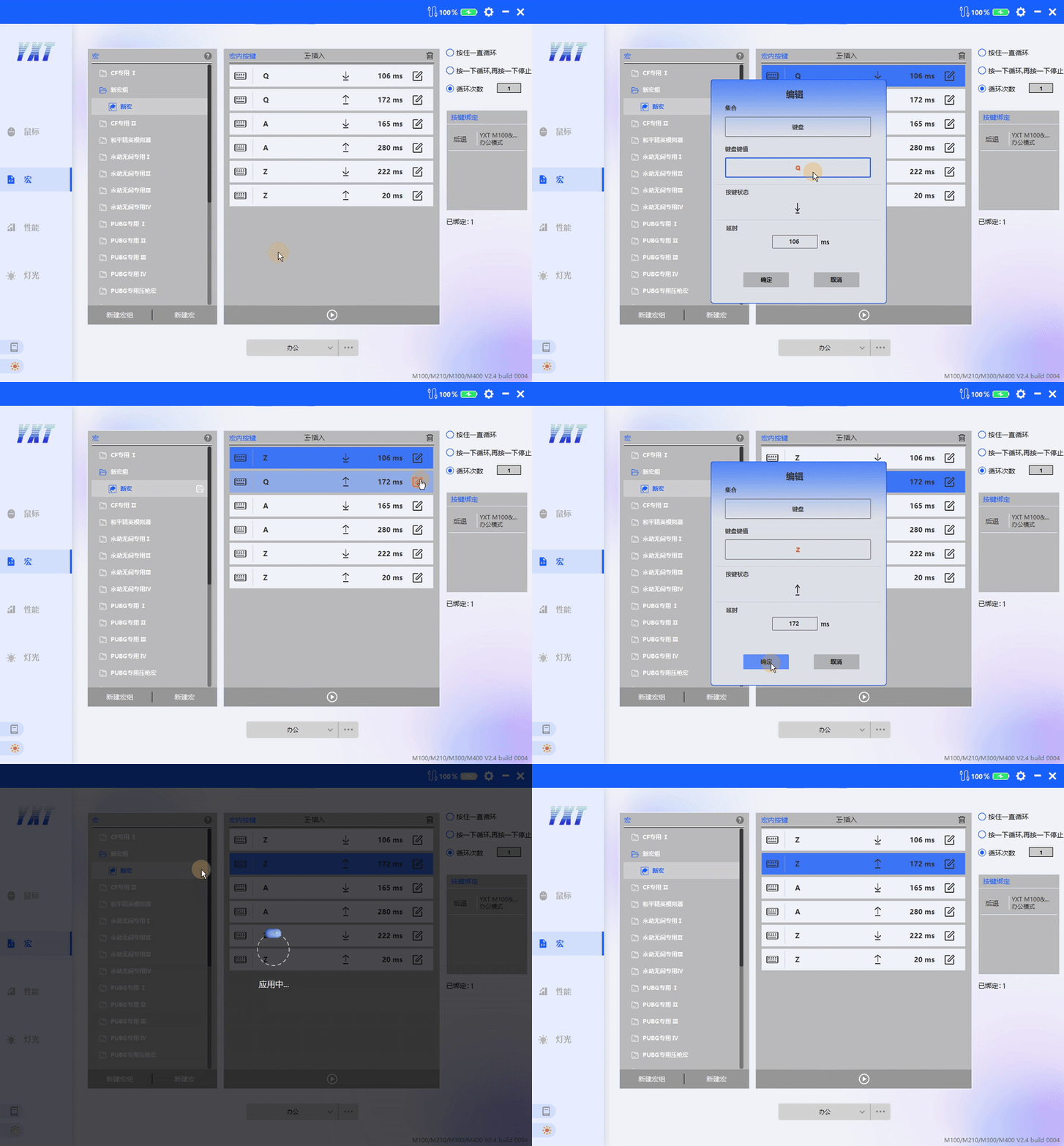
4.在“宏内按键”列表中可选择插入或修改宏功能
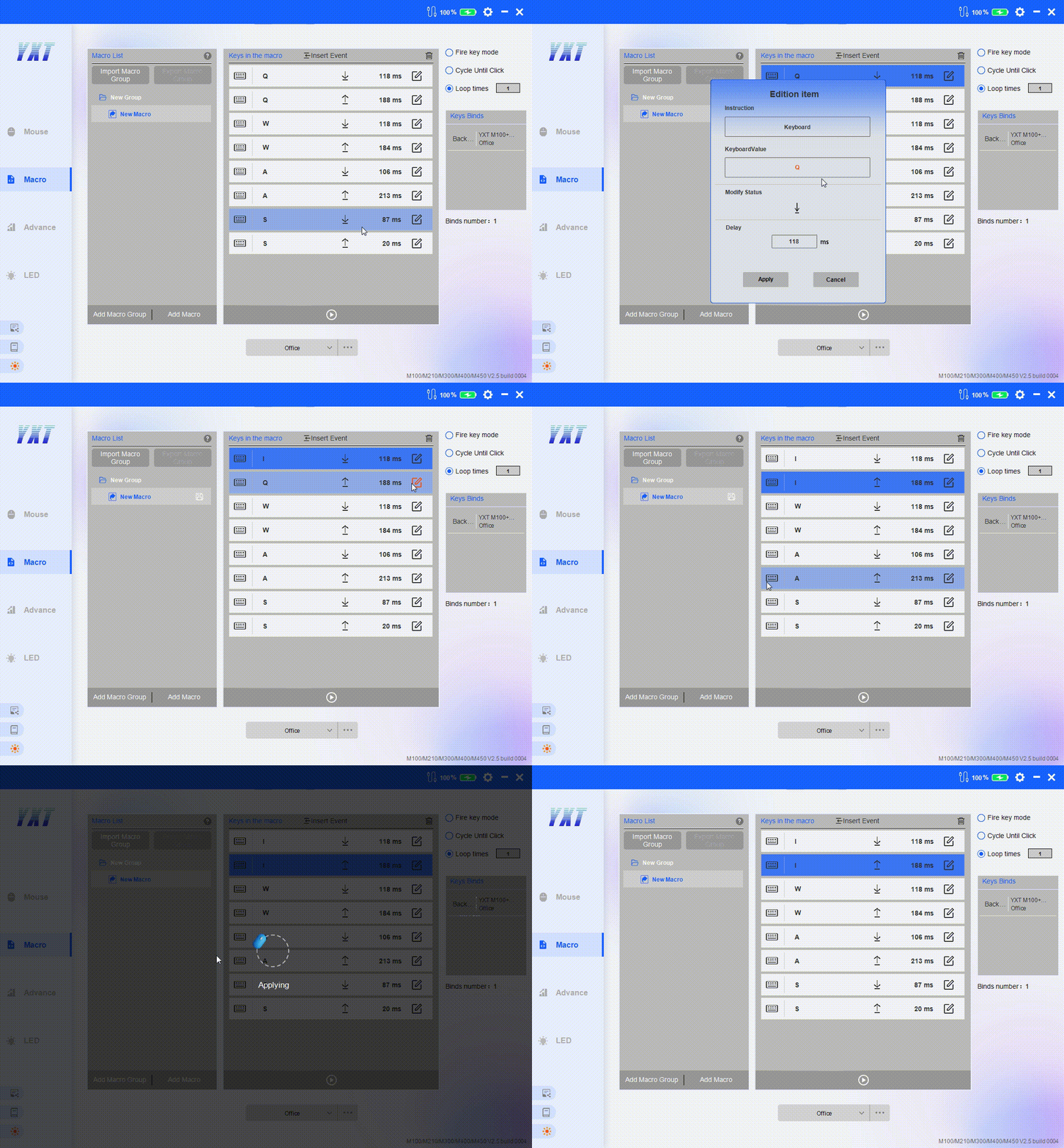
5.修改已绑定宏后应用方法:
①如果仅修改循环方式将直接应用
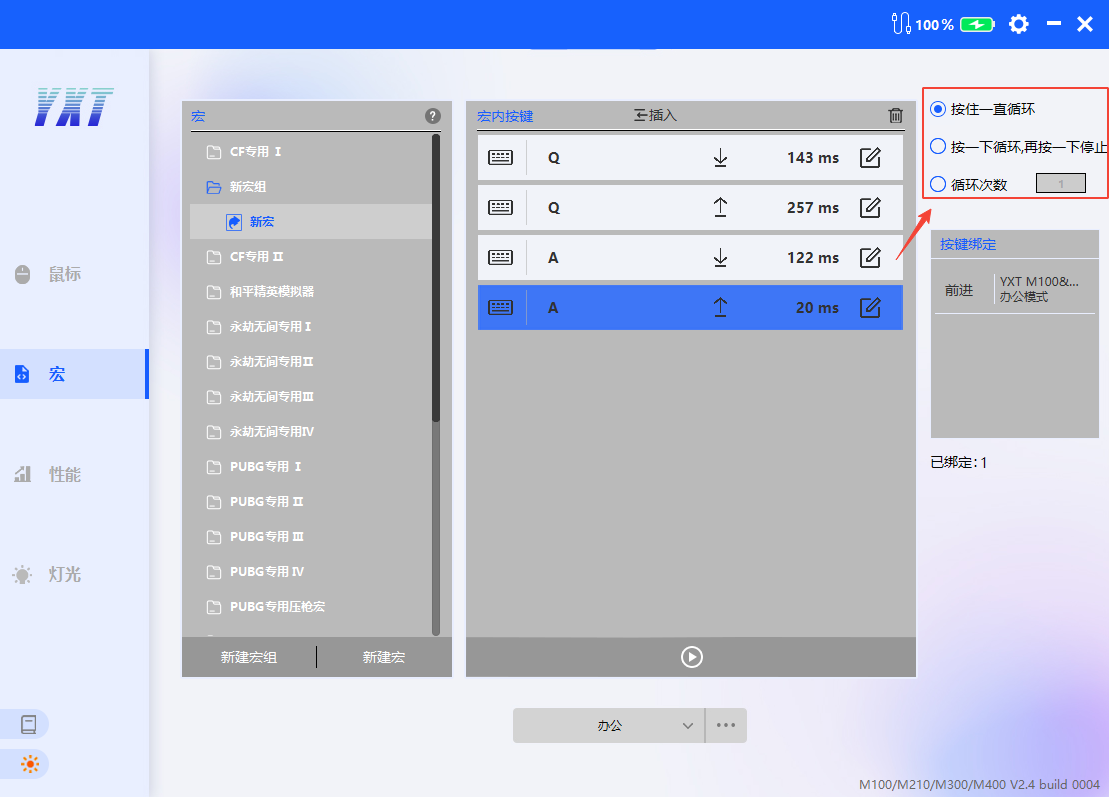
②如果修改按键或延时信息,在修改的宏右侧有个应用 按钮,或者点击此页空白地方或者离开此页也可应用。
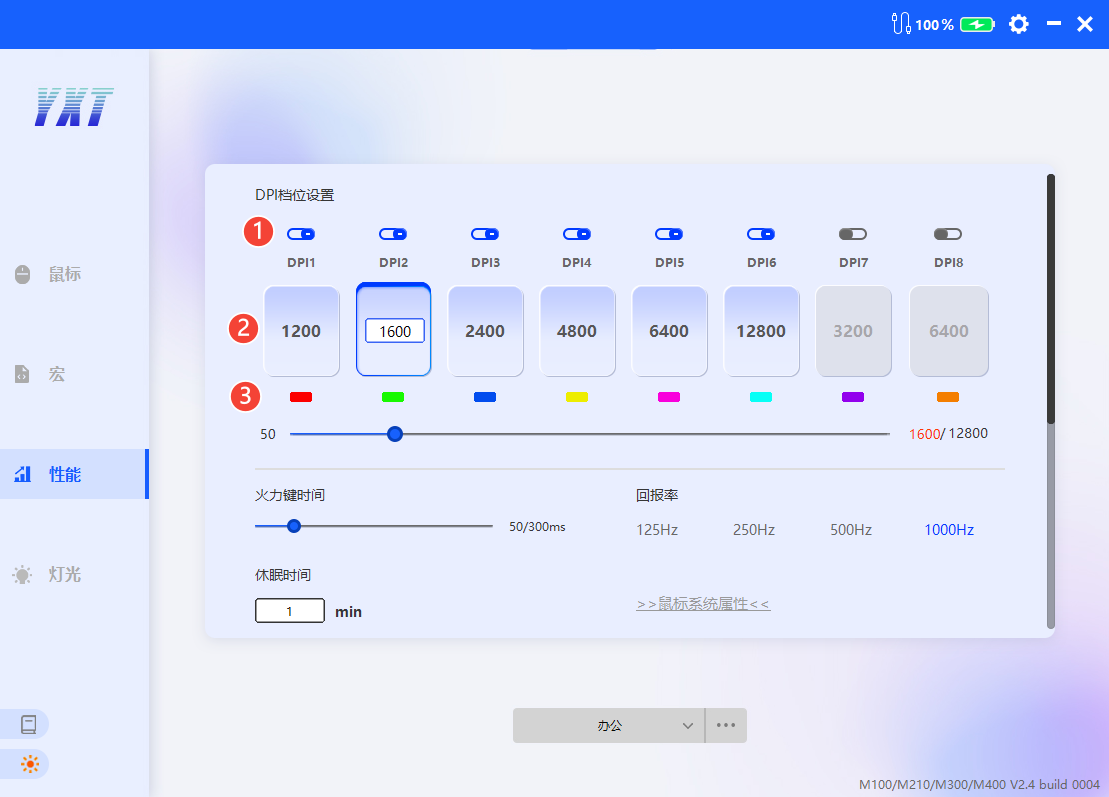
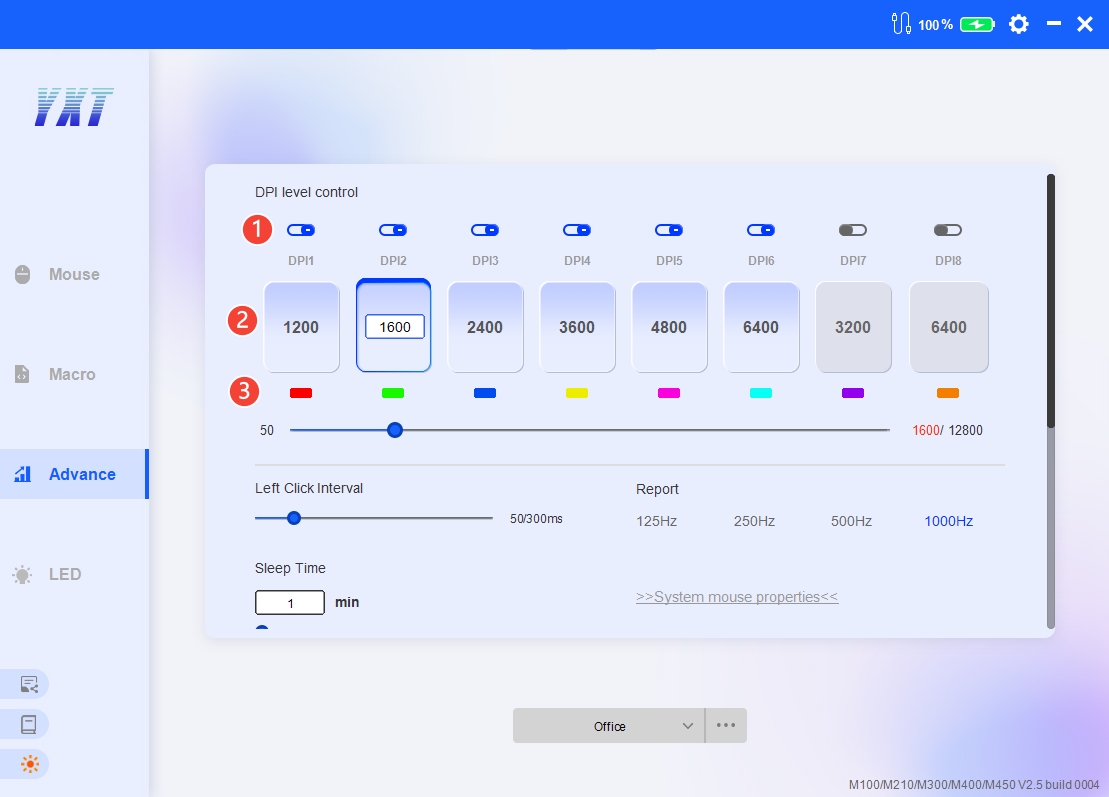
1.DPI设置
①DPI使能开关
②高亮为当前DPI档位
③DPI档位颜色
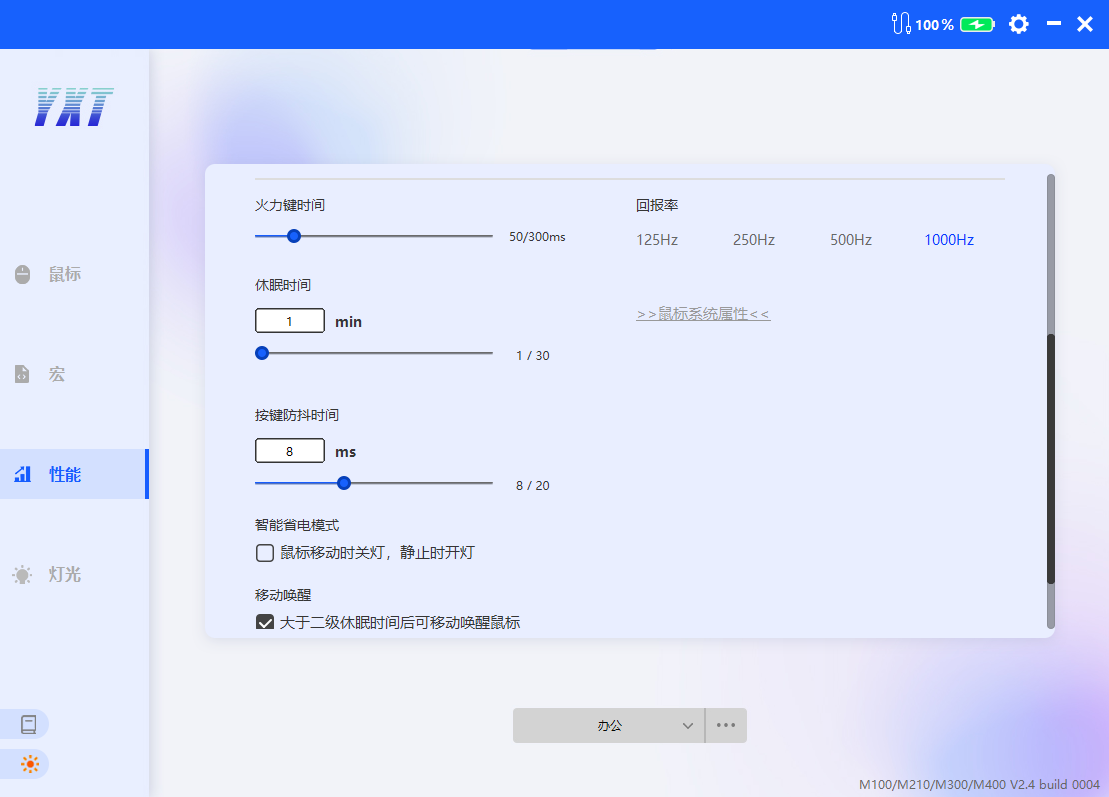
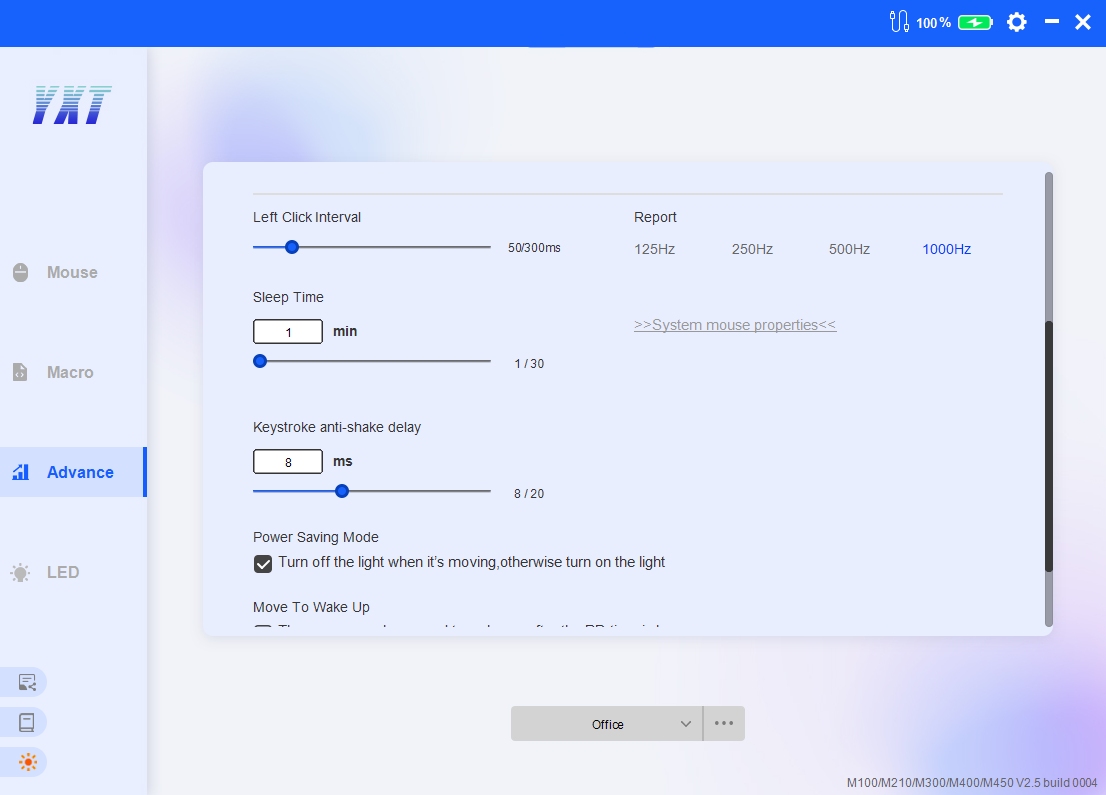
2.其他性能设置说明
①火力键时间:搭配按键功能“火力键”使用,时间越长,火力键输出延时越长。
②回报率:回报率越高,鼠标在移动时的响应速度就越快,理论上能提供更流畅的操作体验。
③休眠时间:仅对2.4G/蓝牙模式下有效。鼠标到达休眠时间后,会进入低功耗状态(可通过按键或移动鼠标唤醒),同时驱动显示断连界面: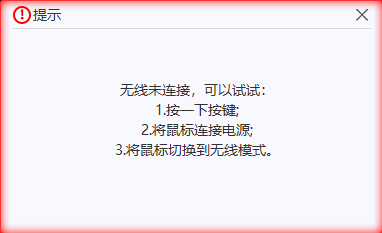
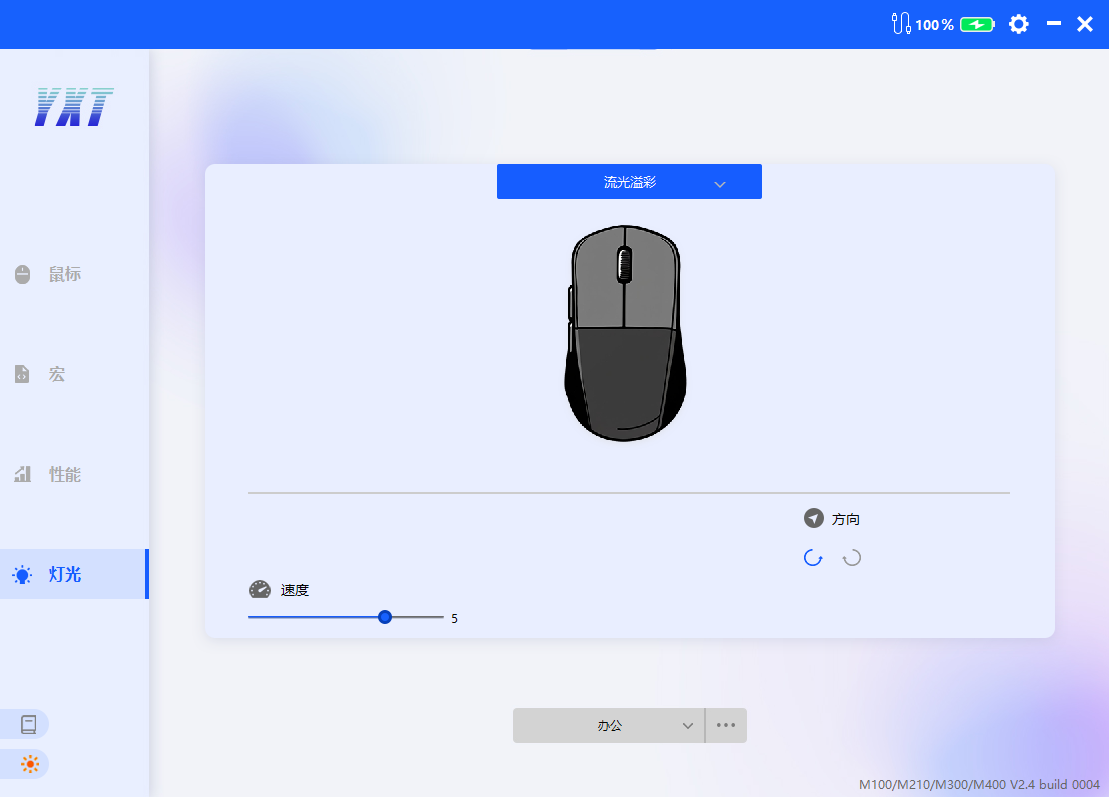
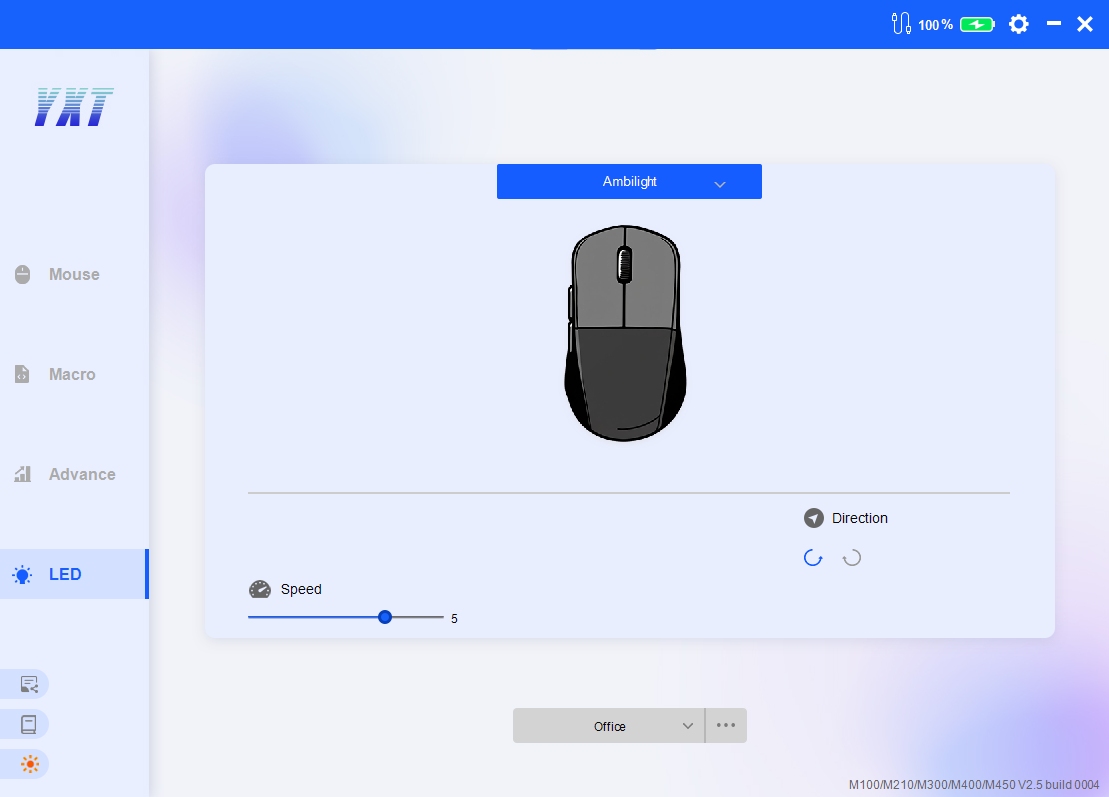
1.可自定义当前灯光类型,下方为各灯光的各项属性。
Q:什么是宏?
A:宏是一种通过编程或软件设置,将一系列鼠标操作(如点击、移动等)组合成自动化指令的功能。用户可以通过触发一个按键或操作(如按下鼠标侧键),快速执行预先录制或编写的复杂动作。目前驱动宏中可包含的操作为:鼠标按键、键盘按键、方向位移。
Q:应用进鼠标的宏 关闭驱动还可以执行吗?
A:可以。
Q:宏运行过程中按下其他按键可以中断此宏吗?
A:可以。
Q:如何导出宏数据?
A:选择宏组右键导出。
1.如何给按键设置功能?
2.如何给按键设置宏?
3.修改按键绑定宏信息后如何保存?
①Mouse Connection Status:  2.4G Status、 USB Status、 Bluetooth Status (Macro function is temporarily unavailable in this mode)
②Battery Level: Red warning below 25%
③Settings: Language selection
④Minimize window
⑤Close window: Close options can be set in "Settings"
⑥Theme switch: Light/Dark
⑦Configuration: Three selectable configurations.Click "More" to import configuration, export configuration, or reset configuration. Exporting configuration does not include macros.
Select a button, then choose a function from the pop-up window on the left. Available functions include basic button functions, keyboard shortcuts, macros, multimedia controls, DPI adjustment, mode switching, and backlight control.
1.Create a new macro group/macro
2.Select a macro and click "Record"
3.Return to the mouse button page, select the button you want to assign, and choose the macro you just set in the left-hand window.
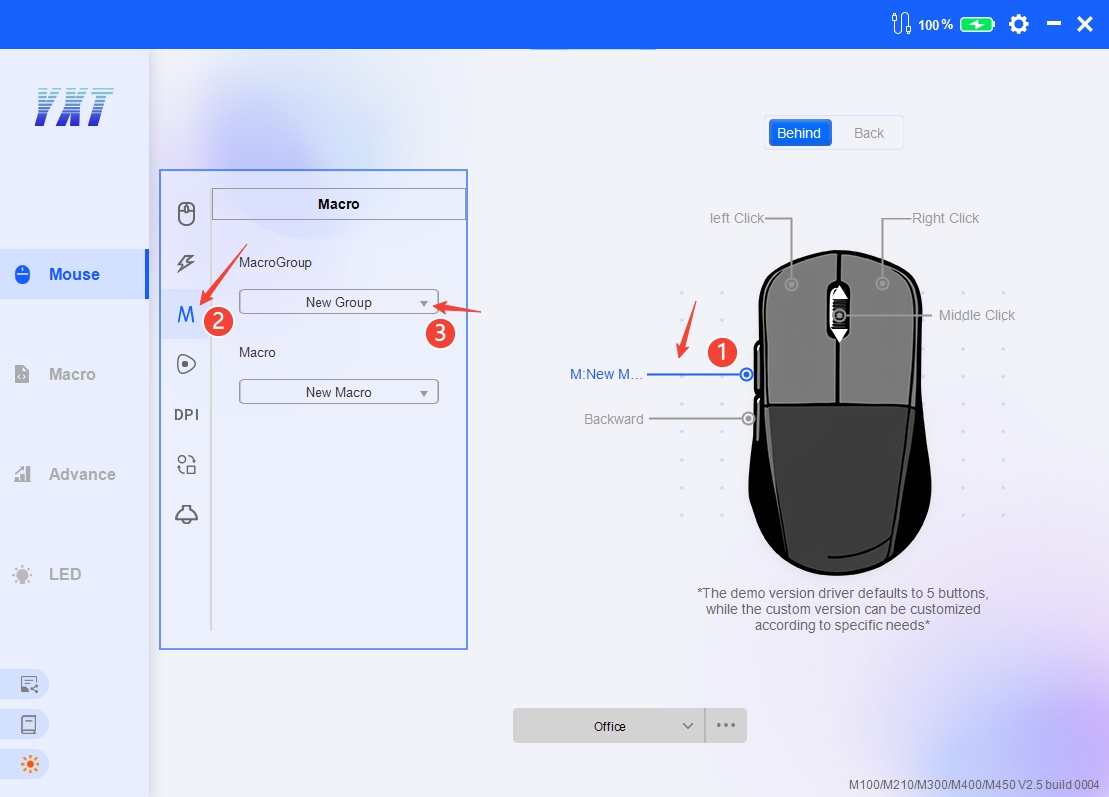
4.In the "Keys in the Macro" list, you can insert or modify macro functions
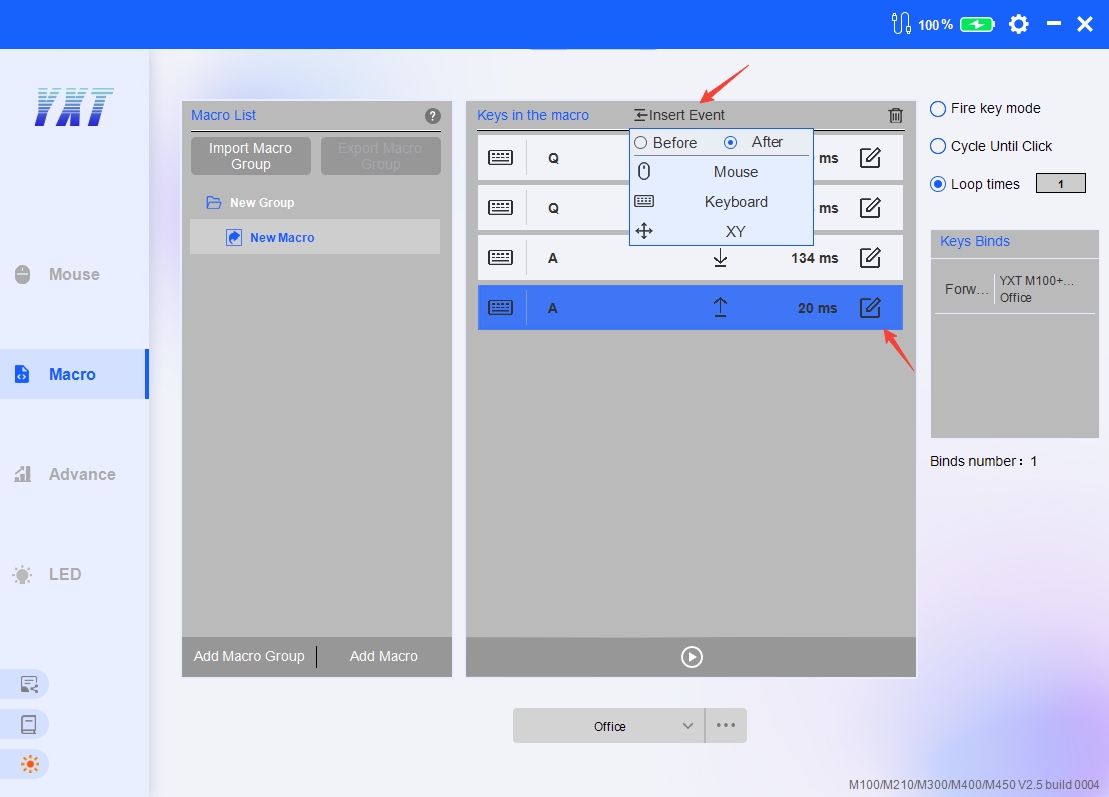
5.How to apply changes to a bound macro:
①If you only modify the loop mode, changes will be applied directly
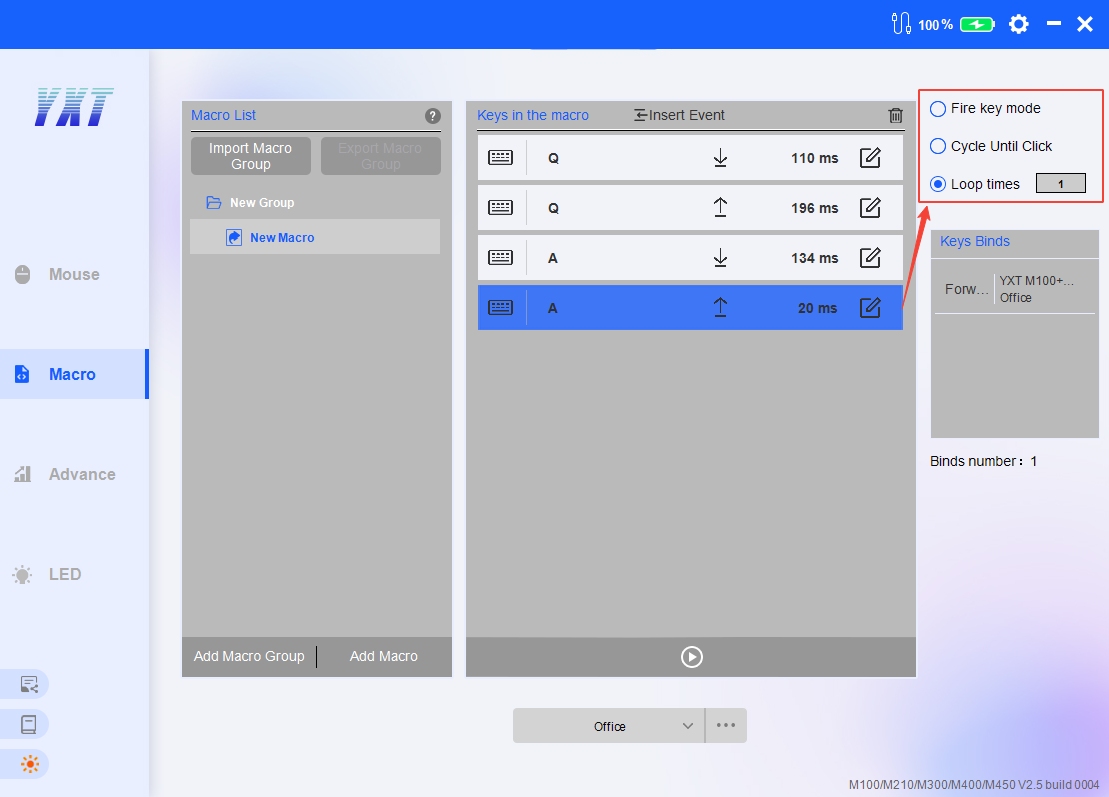
②If you modify actions or delay information, there is an "Apply" button on the right side of the modified macro.Alternatively, you can click a blank area on the page or navigate away from the page to apply the changes.
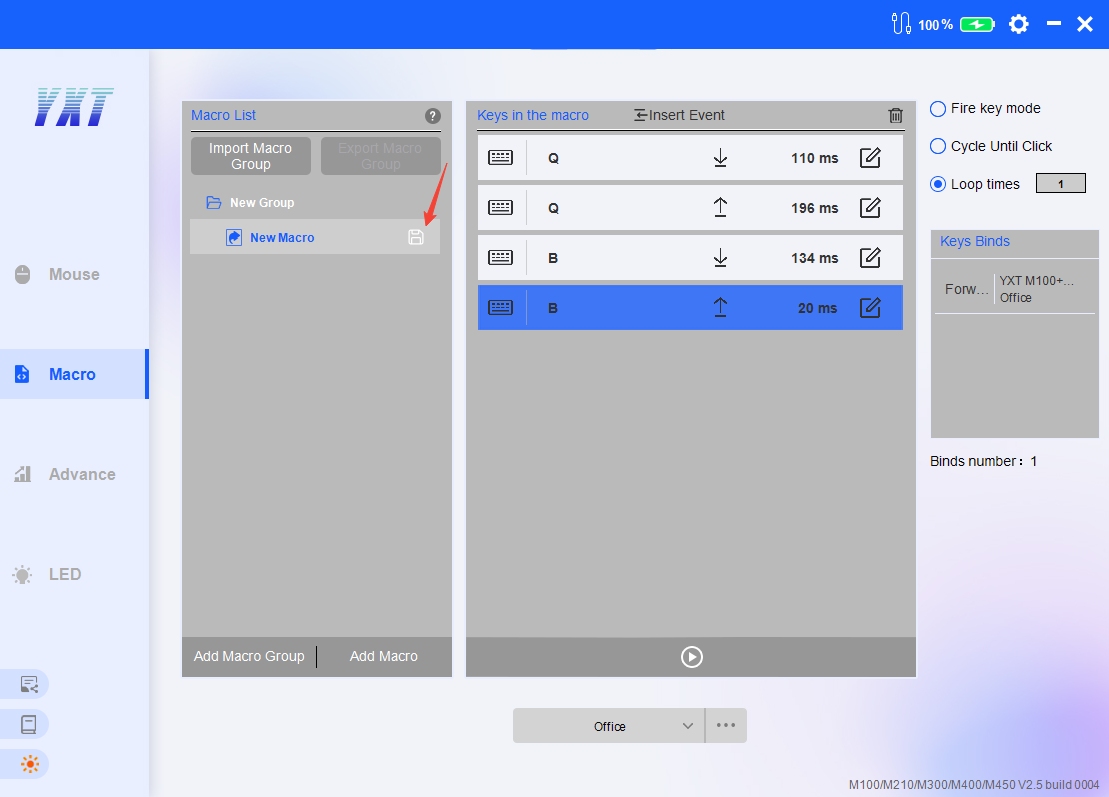
1.DPI Settings
①DPI enable
②Highlighted item indicates the current DPI level
③DPI level color
2.Other Performance Settings Description
①Left Click Interval: Used in conjunction with the "Fire" button function. The longer the time, the greater the delay between rapid-fire outputs.
②Report: A higher polling rate results in faster response speed during mouse movement, theoretically providing a smoother operation experience.
③Sleep Time: Only effective in 2.4G mode. After the mouse reaches the sleep time, the driver will display a disconnected interface: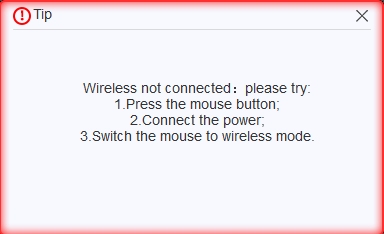
1.You can customize the current lighting type. The properties for each lighting effect are shown below.
Q:What is a macro?
A:A quick execution or reuse of a series of actions. Currently, macros in the driver can include mouse button presses, keyboard key presses, and directional movements.
Q:If a macro is applied to the mouse, can it still be executed after closing the driver software?
A:Yes.
Q:Can pressing other keys during macro execution interrupt the macro?
A:Yes.
Q:How to export macro data?
A:Right-click on the macro group and select "Export".
1.How to set a function for a button?
2.How to set a macro for a button?
3.How to save changes after modifying the macro bound to a button?